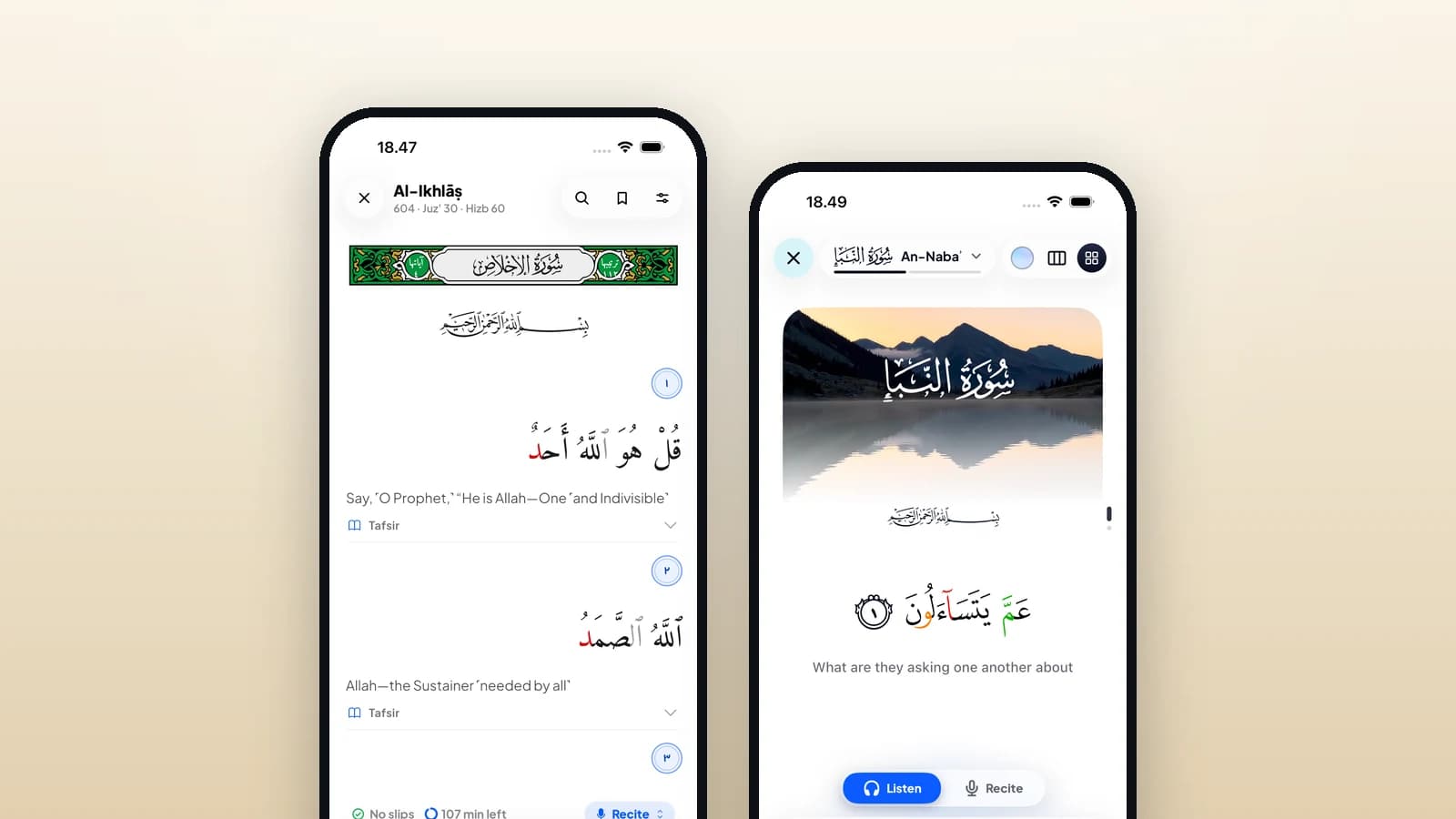
Qiraa’s pricing page lists reading, lessons, local progress and up to two local profiles in Free, plus a daily AI allowance. Premium adds more AI and cloud backup for one learner; final store terms vary. That gives you a useful starting question: can you complete the task you came for with the free tools already available? Begin with one learning need, then make a decision about extra features after you have something specific to compare.
Understand what “free” means on the screen
The word “free” can describe several different offers. An app may cost nothing to install, include an ongoing free plan, or invite you into a trial of a paid subscription. Those are different choices. Before accepting an offer, identify which one is on your screen. Look for the plan name, any future charge, and any action needed to continue or stop it. A free download is the beginning of the evaluation; the useful question is which parts of your learning remain available for the arrangement you choose.
Qiraa’s features page describes letter foundations, reading and listening, and Listen, Repeat, and Test for hifz. Server-assisted recitation needs connectivity, some audio must download first, and recognition can be incorrect. Use that description as a map of possible tasks; check the plan or prompt for the particular tool you want. A feature being shown in an app’s overview does not by itself tell you which subscription, allowance, or connection it needs. Use the website for these descriptions and the installed app for the session below.
Choose one task you can finish
Choose one starting task before exploring every mode. If you already read Arabic, you might want to read a manageable portion with attention to the words you hesitate over. If you are learning the letters, you might want to distinguish two forms you keep confusing. If you are revising memorized material, you might want to check one assigned passage. Write the task in one sentence. This keeps your free-app comparison attached to something observable, instead of a growing list of features you have not used.
For a reading session, open the portion you intend to read and make the display comfortable enough to follow. Read a small amount, notice one place where you lose fluency, and mark the reference in your own note. Where listening is available to you, hear that portion and return to the same place in the text. Finish by writing the question you would bring to a teacher. The result can be modest and useful: you have read, located a difficulty, and made your next session easier to begin.
For a lesson session, work with the material appropriate to your present level. Give yourself one target, such as recognising a letter form or matching a printed example to the sound you hear. Try the task again after the model, then check whether you can explain what changed. If a lesson assumes knowledge you do not have, note that gap and return to the earlier stage suggested by the course or your teacher. Completing an understandable step gives you better information than opening several advanced screens.
Give an AI attempt a clear purpose
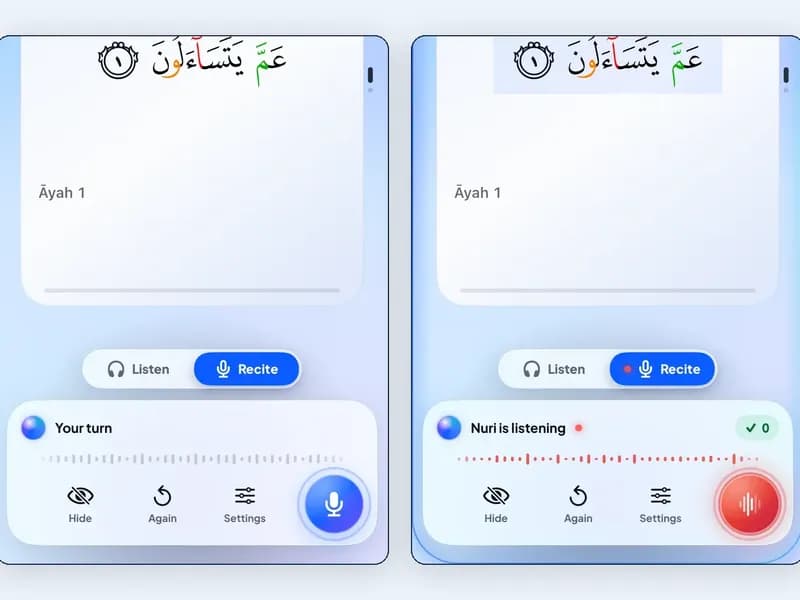
If you want to try AI within an allowance, give the attempt a purpose. Prepare a portion you already know how to practise, make sure the microphone can hear you, and look at any suggested issue beside the relevant text. Listen to a reference and try again where that helps. Keep an unresolved pronunciation question for a qualified teacher. A useful AI attempt leaves you with something to investigate; a reassuring screen alone is a poor reason to declare that every part of your recitation is correct.
Check your progress and offline needs
Treat local progress and a copy elsewhere as separate needs. Ask yourself whether you want to continue on this device, move to another device, or share a device with another learner. Check what happens to your notes and progress before reinstalling an app or replacing a phone. If there is a backup or export option available to you, understand where it goes and how you would recover it. This is a practical part of choosing a plan, especially when your learning record has become important to you.
An offline test should also begin with a particular task. While connected, open the reading material you want and prepare any available audio download. Then briefly turn off your connection and check that exact task: can you open the text, hear the chosen recording, and return to your place? Turn the connection back on afterwards. Record what worked on your device rather than extending the result to every mode. For a fuller check, use the guide to reading Quran offline.
Decide from the work you actually do
After a few sessions, ask what is actually missing. Perhaps you can already complete your reading or lesson task without changing plans. Perhaps you have identified a repeated need that a paid option explicitly addresses. Compare that need with the current offer on your own device before deciding. Ask whether you want an ongoing subscription or only reacted to a prompt in the middle of practice. Give the decision a calm moment outside the lesson, when the advertised extras can be considered one by one.
Use the checklist below to describe the offer in your own words. Leave a question unanswered until you can verify it in the app or its official information. This is also a useful way to compare another free Quran app without making a ranking from screenshots. If two tools both meet your present need, try keeping one simple routine long enough to learn from it. You can consult how to choose a Quran app when your needs become more specific.
Keep one small record of the result
- Offer: is this an ongoing free plan, a trial of a paid plan, or a subscription?
- Task: which reading, lesson, or revision action do I need?
- Access: can I complete that action with the plan currently selected?
- AI: does this action use an allowance, and what does the app say when it is reached?
- Connection: which parts of my chosen task worked offline on this device?
- Progress: where is my learning record stored, and how would I recover or move it?
- Payment: what price, renewal date, and trial conditions does my store show?
A small record makes the evaluation concrete: “Today I used this tool for this task. I could complete this part. This part needed a connection, an allowance, or another plan. My next step is this.” Write only what you observed. You do not have to test every screen or reach a verdict on the whole app. Your goal is to discover a reliable way to practise, understand its limits for your situation, and know which question to ask before spending money.
The useful free Quran app is the one that helps you take the next clear step with the tools you can access. With Qiraa, start by checking the free plan, choose a reading or lesson task, and complete it before judging the extras. If you later choose a subscription, make the reason specific: a feature you understand, a need you have observed, and terms you have checked. That gives both your learning and your budget a clearer direction.

Responses
A thoughtful conversation starts with care. Responses are reviewed before they appear.
Loading the conversation…